

SARS mobile eFiling on Windows: Filing season from a bigger screen
Sponsored content. This article was supplied by a third party and Business Money has been paid to publish it.
 Every tax authority worth its salt has spent the last decade pushing filing off paper and onto screens, and South Africa is no exception. For most personal filers, the annual routine now involves a browser, a set of login credentials, an IRP5 that has already been pre-populated by an employer, and a few hours of double-checking figures against medical aid certificates and retirement annuity statements.
What has changed more recently is where that happens. People check balances, verify OTPs and sign documents on a phone all year, so it was only a matter of time before the annual return followed. Mobile tax apps in this category tend to share a similar shape: a login tied to an existing online account, a stripped-down version of the full return, a calculator, and a status screen that tells you whether you owe money or are owed some.
That narrowness is deliberate. Nobody wants to scroll through a forty-field form on a 6-inch display, so mobile tax tools usually cover the common case well and hand off the complicated case to the desktop site.
What SARS put into the eFiling App
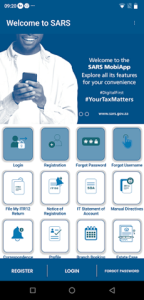
The SARS eFiling App is described by the South African Revenue Service as an extension of eFiling aimed at taxpayers who do most things on a handset. It is not a separate tax system. You need to already be a registered eFiler, and the app then gives you a mobile route into the same account.
As a registered eFiler, the app covers a small, well-defined set of jobs:
- Viewing, completing and submitting your annual basic Income Tax Return (ITR12)
- Saving and editing an ITR12 locally on the device before you file
- Running the built-in tax calculator for an indication of your assessment outcome
- Receiving your assessment once the return has gone through
Note the word “basic” in that first item. The app is built around a straightforward salaried return, the kind where an IRP5 does most of the heavy lifting and the taxpayer is confirming figures rather than assembling them.
The gap between the app and the full eFiling site
 If your tax affairs run to rental income, a small business, capital gains on a share portfolio or a trust, the mobile return is not the place to do that work. The full eFiling website exists for a reason, and the app makes no claim to replace it.
For the large group of people whose entire tax year fits on one IRP5 and a medical aid tax certificate, though, the calculator alone earns its keep. Getting an indication of whether a refund or a payment is coming, before you commit to submitting, changes how you plan the month.
Saving locally is the other quiet convenience. You can start the return, stop when you realise the retirement annuity certificate has not arrived yet, and come back to it. That behaviour matters more than it sounds once you move the app off a phone: a locally saved ITR12 draft lives inside the emulated Android storage rather than in your Windows documents folder, a detail that catches out people who download SARS eFiling app for PC expecting the draft to sit next to the rest of their tax paperwork.
Logbooks, medical certificates, and the desktop advantage
Tax returns are one of the few remaining tasks where people still open a spreadsheet. Travel logbooks, home office calculations, tallies of qualifying medical expenses not covered by a scheme, all of it tends to live in a file on a laptop.
Filing on a phone means retyping those totals by hand, which is exactly the moment transcription errors creep in. Having the return and the source figures on the same display removes that step.
There is also the accessibility angle. Older filers, or anyone with limited fine motor control, often find a keyboard and a full-size monitor far less punishing than tapping numeric fields on glass. And people who assist family members with their returns, which is a common enough arrangement, generally prefer to do it sitting at a desk.
Running SARS mobile eFiling on a PC
The app is an Android build, so putting it on Windows means running it inside an Android environment. BlueStacks is the usual starting point for people who have never done this before, largely because it handles keyboard input into Android text fields without much fuss, which is the whole reason you would bother in this case. LDPlayer is the other name that comes up often and behaves similarly for a form-heavy app like this one.
Two setup details matter here, and both relate to how the app authenticates and how it captures information.
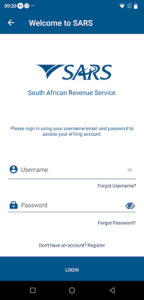
The first is one-time passwords. eFiling security leans on OTPs sent to the mobile number and email address registered on your SARS profile, and those messages go wherever your profile says they go. Running the app on a desktop does not redirect them. Keep the registered phone within reach when you log in, and make sure the number on your SARS profile is current before filing season starts, because updating contact details is not something you want to discover mid-submission.
The second is the camera. If you ever need the app to capture a document image, the emulator has to be pointed at your webcam rather than a virtual camera stub, and that setting is usually off by default. Worth checking before you need it rather than during.
This is still a declaration, not just data entry
Whatever screen you use, the return is still a legal declaration. Running it in an emulator does not change your obligations, your deadlines or your liability for what you submit, and it is not an officially supported configuration on the SARS side.
Treat the desktop setup as a convenience for entering numbers accurately, keep your supporting documents filed away for the five years SARS can ask for them, and if anything about the return looks unusual, open the full eFiling site and check it there before you press submit.