

7 best CRM enrichment tools that keep your data from going stale
Sponsored content. This article was supplied by a third party and Business Money has been paid to publish it.
Your CRM does not tell you when it starts lying to you.
A record looks complete. Name, title, company, email, phone, all populated. What the record does not show is that the title changed nine months ago, the company was acquired in Q2, and the email now bounces into a decommissioned domain. Reps work it anyway. Sequences fire anyway. Routing rules assign it to the wrong territory anyway.
That gap between what a record looks like and what it actually is has a name: data decay. And most enrichment tooling makes it worse, not better, because it fills fields once at the point of capture and never checks them again.
This guide covers seven CRM enrichment tools evaluated on a single question: what does each one do after the first enrichment runs?
Why CRM data goes stale in the first place
Decay is not a hygiene failure. It is what happens when a static record tries to describe a moving world.
- People change jobs. Median employee tenure in the US is under four years, and every departure invalidates a title, an email, and often a direct dial.
- Companies change shape. Acquisitions, rebrands, funding rounds, and restructures break firmographic fields that nobody thinks to re-check.
- Enrichment runs on create, not on update. Most native CRM enrichment fires when a record is first written and never again.
- Multiple sources write conflicting values. Without field-level precedence rules, the last integration to run wins, regardless of which one was right.
- There is no decay signal. Nothing in a standard CRM flags a record as aging, so nobody knows which half of the database is rotten.
How we evaluated these tools
Every tool below is judged on the same six criteria:
- Refresh model. One-time fill, scheduled batch, or event-triggered and continuous.
- Coverage and source breadth. Single proprietary database or multi-provider waterfall.
- CRM write-back. Native integration, field-level control, and how conflicts are handled.
- Signal detection. Whether the tool knows a record changed, not just what the record says.
- Operational overhead. What it costs in RevOps hours, not just in licence fees.
- Stage fit. Who it actually suits.
The 7 Best CRM Enrichment Tools
1. Tapistro
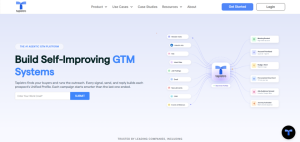 Tapistro positions itself as a GTM orchestration and data layer rather than a point enrichment vendor. The distinction matters for this list because enrichment credits treat a symptom, while a persistent data foundation treats the cause.
Best for: B2B teams who want enrichment, signal detection, and activation running as one system instead of three stitched tools.
How it handles staleness: Tapistro runs enrichment as an always-on background process across the full CRM rather than as a one-time cleanup project. Its published approach chains multiple data providers in sequence so each fills gaps the previous one missed, populates missing fields continuously as records change, and updates lead scores as new signals arrive such as hiring activity, funding events, and website engagement. The practical effect is that a record does not sit untouched between manual refresh cycles.
Key capabilities:
- Waterfall enrichment chaining multiple providers plus AI research agents
- Continuous field population across accounts and contacts
- Dynamic lead scoring that updates as signals arrive
- Unified account and person profiles built from CRM, website, ads, and third-party sources
- Native Salesforce and HubSpot integration
- Journey orchestration so a detected change can trigger action, not just a field update
Limitations: This is a platform, not a lightweight enrichment utility. Setup requires connecting data sources and defining ICP logic, so it suits teams with a real GTM data problem rather than teams who need a few hundred emails found.
Pricing: Requires a demo and a custom quote.
2. Clay
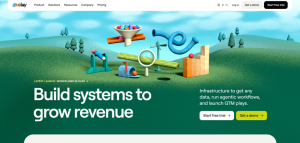 Clay is the most flexible enrichment orchestration tool in the category and has become the default choice for teams with dedicated GTM engineering capacity.
Best for: Technical RevOps teams who want to design their own multi-provider enrichment logic.
How it handles staleness: Clay routes each record through a waterfall of data providers, stopping at the first verified result, so coverage is not limited to one vendor’s blind spots. Job change and signal tracking are available on paid tiers, and CRM auto-sync sits on the higher Growth tier. Refresh is workflow-defined rather than automatic, which means freshness depends on how well you build the table.
Key capabilities:
- Waterfall enrichment across a large marketplace of data providers
- Claygent AI agent for custom web research fields
- Spreadsheet-style tables with formulas, conditionals, and triggers
- CRM sync, webhooks, and HTTP API on higher tiers
Limitations: Real learning curve, commonly reported at several weeks. Credit consumption compounds quickly on multi-provider waterfalls. CRM auto-sync is gated behind a higher tier, which matters if continuous CRM freshness is your actual goal.
Pricing: Clay overhauled its pricing in March 2026, splitting usage into Data Credits and Actions across Free, Launch, Growth, and Enterprise tiers. Third-party sources report Launch starting around $185 per month and Growth around $495 per month, though figures differ between sources and by billing term. Verify current numbers on Clay’s pricing page before quoting them.
3. ZoomInfo
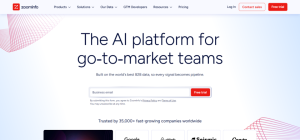 The enterprise incumbent. Broadest data footprint in the category and the most mature enrichment operations tooling, at enterprise cost and enterprise complexity.
Best for: Large RevOps teams with the budget and the admin capacity to run enrichment as infrastructure.
How it handles staleness: ZoomInfo supports several enrichment modes rather than one. Enrichment can be triggered in real time as a record enters the system, scheduled as recurring batch jobs to catch job changes and company updates, run on demand, or called programmatically via API. Its Salesforce integration allows job frequency, credit limits, batch sizes, and SOQL filters to be configured, which is the level of control most enterprise data teams need.
Key capabilities:
- Contact, company, hierarchy, and technographic enrichment
- Real-time, scheduled, on-demand, and API enrichment modes
- Native Salesforce, HubSpot, and Microsoft Dynamics integrations
- Bulk enrichment at very large record volumes
- Intent data and signal products in higher tiers
Limitations: Premium pricing with no public list price. Annual contracts. Setup and ongoing administration require dedicated ownership. Teams migrating from legacy ZoomInfo APIs should factor migration effort into total cost.
Pricing: Quote-based, no published list price. Widely described as the most expensive option in this list. Get a quote against your actual record volume.
4. Apollo.io
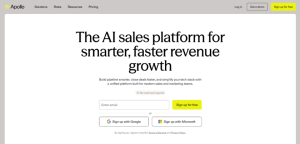 The accessible option. Apollo bundles a large contact database, enrichment, sequencing, and a dialer into one self-serve platform at a price point most growth-stage teams can absorb.
Best for: SMB and mid-market teams running US-focused outbound who want one tool instead of four.
How it handles staleness: Apollo supports scheduled CRM enrichment jobs with a configurable cadence, record filters, and field-level data writing permissions. Fields can be set to auto-fill only when empty, or to overwrite existing values outright, which is a meaningful control if you have trusted first-party data you do not want clobbered. Apollo Refresh sends alerts when designated contacts change jobs.
Key capabilities:
- Scheduled CRM enrichment with cadence and filter control
- Field-level auto-fill versus overwrite permissions
- Job change alerts on tracked contacts
- CSV and REST API enrichment alongside native CRM sync
- Sequencing and dialer included in the same platform
Limitations: Data resolves against Apollo’s own database, so coverage is a single-source result rather than a multi-provider waterfall. Data quality is reported as noticeably stronger in the US than in EMEA or APAC. CRM integration requires a paid tier. Credit governance becomes a real operational task as teams grow.
Pricing: Free tier available. Paid seats are reported in the range of roughly $49 to $119 per user per month on annual billing, with credit consumption varying by data type. Verify current tiers on Apollo’s pricing page.
5. Cognism
 The compliance-first choice, and the strongest option in this list if your pipeline runs through Europe.
Best for: EMEA-focused outbound teams and organisations where GDPR defensibility is a procurement requirement.
How it handles staleness: Cognism’s differentiator is verification quality rather than refresh frequency. Its Diamond Data mobile numbers are human-verified by a research team rather than validated algorithmically, and on-demand verification is available on higher packages. CRM Enrichment is sold as a separate module alongside the core prospecting product, so continuous enrichment is an add-on rather than a default.
Key capabilities:
- Human-verified mobile numbers with strong reported connect rates
- Deepest reported coverage across UK, DACH, France, Benelux, and the Nordics
- DNC and TPS screening across multiple national registries
- Intent data and sales trigger events
- CRM Enrichment and Data-as-a-Service available as separate modules
Limitations: No public pricing and annual contracts only, with notice periods. Coverage weakens outside Europe, with reported gaps in US mid-market and APAC. CRM enrichment is a paid module rather than a core feature.
Pricing: Custom quote only. Third-party sources report entry points in the low tens of thousands per year, with premium data tiers costing meaningfully more. Treat any specific figure as unverified until you have your own quote.
6. HubSpot Breeze Intelligence
 If you run HubSpot, this is the lowest-friction enrichment available to you. If you do not run HubSpot, it is no longer an option at all.
Best for: HubSpot-native marketing and RevOps teams who want enrichment with essentially no setup.
How it handles staleness: Enrichment runs natively on HubSpot contact and company records using a credit system, where one credit enriches one record. Because it lives inside the CRM rather than syncing into it, there is no integration layer to break. Credits are reported to reset monthly without rollover, which effectively caps how much re-enrichment you can run.
Key capabilities:
- Native contact and company enrichment inside HubSpot
- Reverse-IP visitor identification
- Buyer intent signals and form shortening
- Inherits Clearbit’s firmographic data heritage
Limitations: Hard CRM lock-in with no support for Salesforce, Pipedrive, or anything else. No phone number enrichment, so phone-led teams need a second vendor. Credits expire monthly. Practitioner reports suggest contact-level match rates are weaker than in the standalone Clearbit era.
Pricing: Credit-based and layered on top of a paid HubSpot subscription. Third-party sources report roughly $45 per month for 100 credits, putting a realistic all-in minimum in the $65 to $75 per month range, though other sources cite substantially higher entry packs. Reported figures vary widely, so verify directly against a HubSpot quote for your tier.
7. Dropcontact
 The most thematically consistent tool on this list. Dropcontact does not sell you access to a database that ages. It verifies in real time and stores nothing.
Best for: European teams who need CRM contacts cleaned, deduplicated, and enriched under a model they can defend to a privacy officer.
How it handles staleness: Dropcontact generates candidate email addresses algorithmically from name and company domain, then verifies deliverability before returning a result. Because there is no stored contact database, there is no snapshot to go stale. In CRM integration mode it enriches records as they enter the CRM, detects and merges duplicates, and continuously updates fields including job title and email. It also flags when a contact has changed employer.
Key capabilities:
- Algorithmic email generation with real-time verification
- No stored personal data, which is the basis of its GDPR positioning
- Native HubSpot, Salesforce, and Pipedrive integrations
- Duplicate detection and merging inside the CRM
- Employer change detection and company data on higher tiers
Limitations: Email only. No phone numbers, no direct dials. Match rates are lower than database-backed tools because the algorithm cannot verify catch-all or non-standard patterns. No buying signals. CRM integrations are priced separately from base credits.
Pricing: Entry plans reported from roughly 24 to 29 euros per month for 1,000 credits, with higher tiers adding company data and change detection. CRM integration is quoted separately. Verify current tiers on Dropcontact’s pricing page.
Comparison at a glance
Pricing is deliberately excluded from this table. Every vendor in the category re-priced within the last eighteen months, and several publish no list price at all. Get a quote against your own record volume.
| Tool | Refresh model | CRM write-back | Signal detection | Best for |
| Tapistro | Continuous, always-on waterfall enrichment | Native (Salesforce, HubSpot) | Yes, plus dynamic lead scoring | B2B teams wanting enrichment and signals in one layer |
| Clay | Scheduled and triggered, workflow-defined | CRM auto-sync on higher tier | Job change and web intent on paid tiers | GTM engineering teams building custom workflows |
| ZoomInfo | Real-time, scheduled, on-demand, API | Native (Salesforce, HubSpot, Dynamics) | Intent and signals in higher tiers | Enterprise RevOps with budget and admin capacity |
| Apollo.io | Scheduled CRM enrichment jobs with cadence and filters | Native (Salesforce, HubSpot) | Job change alerts via Apollo Refresh | SMB and mid-market US-focused outbound teams |
| Cognism | Enrichment module, on-demand verification | Native CRM integrations | Intent and sales triggers | EMEA outbound and compliance-first data teams |
| HubSpot Breeze Intelligence | Credit-based enrichment inside HubSpot | Native to HubSpot only | Buyer intent inside HubSpot | HubSpot-native teams wanting zero-setup enrichment |
| Dropcontact | Real-time on record entry, continuous CRM updates | Native (HubSpot, Salesforce, Pipedrive) | Company change detection on higher tiers | European teams with strict GDPR requirements |
How to choose the right enrichment tool
Three variables decide this, and they matter in this order.
- Where do your buyers sit? If your pipeline is primarily European, Cognism or Dropcontact should be on your shortlist before anything else, because coverage and compliance posture will decide the outcome regardless of feature parity. If you are US-focused, Apollo and ZoomInfo have the deeper pool.
- What CRM are you locked into? HubSpot-only teams get the most value per unit of effort from Breeze Intelligence. Salesforce teams should ignore it entirely. Multi-CRM or warehouse-centric teams need something CRM-agnostic.
- Do you need fields, or do you need to know when something changed? This is the question most buying processes skip. Filling a blank title field is a different problem from knowing that a title changed last Tuesday. Tools that only do the first will keep your CRM looking complete while it quietly becomes wrong. If change detection matters, look at Tapistro, Clay, or ZoomInfo.
A rough stage mapping:
- Early stage, under 5,000 records: Apollo or Dropcontact. Low overhead, low commitment.
- Scaling, dedicated RevOps owner: Clay if you have engineering capacity, Tapistro if you want the system rather than the toolkit.
- Enterprise with governance requirements: ZoomInfo, or Cognism if Europe is the priority market.
Beyond enrichment: Building a data foundation that does not decay
Most teams buy enrichment the way they buy a cleaning service. Something has gone bad, so they pay someone to fix it, and then they wait for it to go bad again.
That model has a structural ceiling. Even a quarterly enrichment cycle leaves you working against records that are, on average, six weeks out of date, and the decay compounds between runs. By the time the cleanup finishes, a measurable share of what you just cleaned has already moved.
The alternative is treating CRM data as a maintained system rather than a periodic project. Three things have to be true for that:
- Enrichment runs continuously and on multiple sources, not once against a single provider.
- Something is watching for change events, so a job move or a funding round is detected rather than discovered on a bounce report.
- Detected change triggers action, whether that is a re-score, a re-route, or a new outreach sequence, rather than sitting in a field nobody queries.
That is the difference between an enrichment vendor and a data foundation. The first keeps your fields populated. The second keeps your GTM motion running on something true.
Fixing the foundation
Enrichment tools are not interchangeable, and the differences that matter are not the ones most comparison pages lead with. Database size is easy to market and largely irrelevant if the records never refresh. What actually determines whether your CRM stays usable is what happens on day 90, not day one.
If your data problem is a gap, buy credits. If your data problem is decay, you need something running continuously underneath the CRM rather than periodically on top of it.